One financial view
See revenue, costs, profitability, collections and cash flow together.
 Cost Control · Financial platform
Bring revenue, costs, collections and cash flow into one view. Understand performance and explore scenarios before deciding what to do next.

Already using Cost Control? Get Executive View:
The mobile app requires an active account on the Cost Control web platform.
Bring financial performance, planning and insights into one connected view.
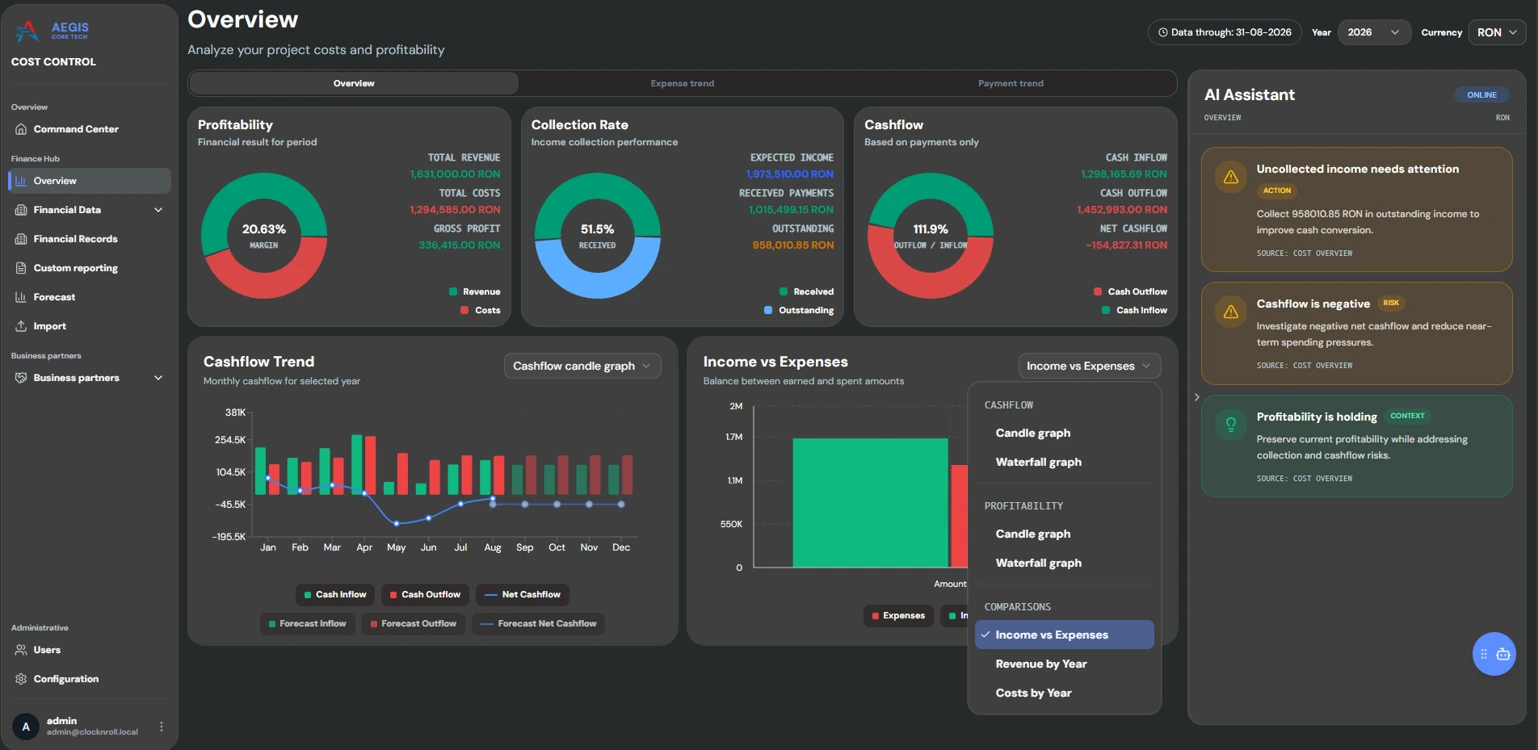
See revenue, costs, profitability, collections and cash flow together.
Compare forecasts with actual performance and explore what-if scenarios.
Bring deviations and financial risks into view while there is time to assess them.
Relate operational activity and time to the financial outcomes that matter.
Ask questions about your data and explore written summaries when AI features are enabled.
Connect with ERP, HR, accounting and other systems, depending on your configuration.
A quick look at financial performance and planning in the platform.
Explore performance and scenarios on the web, then check key indicators in Executive View.
Cost Control · Web
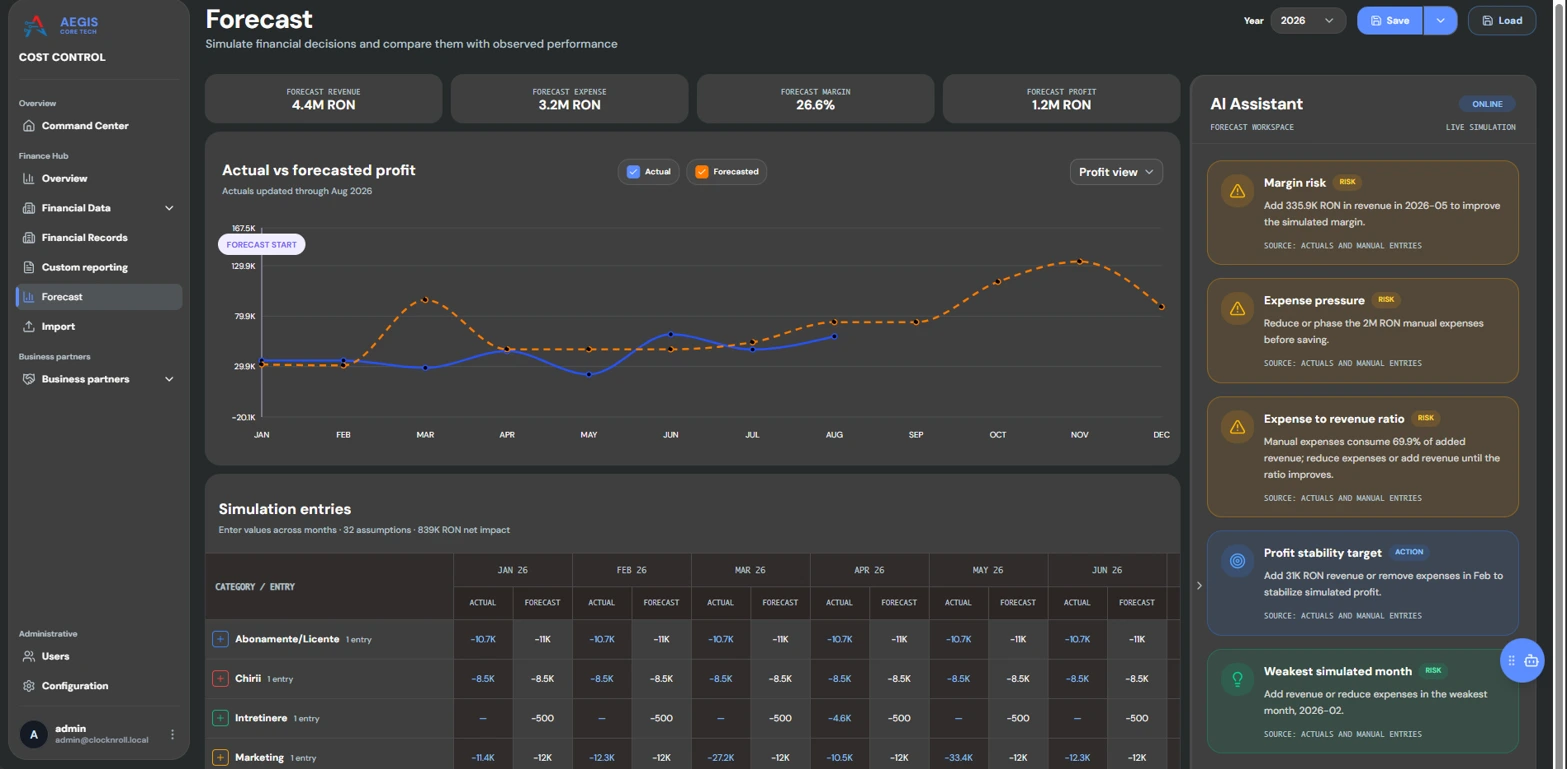
Review financial performance and explore revenue or expense scenarios in the web platform.
Bring revenue, profit, costs, collections and cash flow into one dashboard, with actual and forecast performance side by side.
Model revenue, expenses and profit, compare what-if scenarios, and track plans against actual results before committing resources.
Cost Control · Executive View
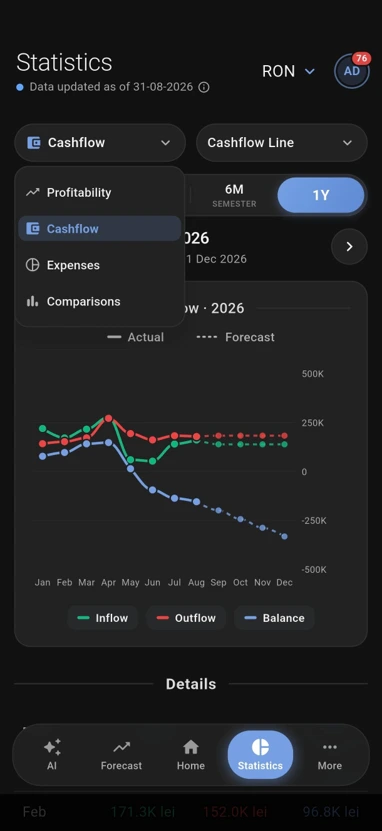
Executive View is the mobile app connected to your company’s Cost Control web platform. Check profitability, costs, collections and cash flow on the go.

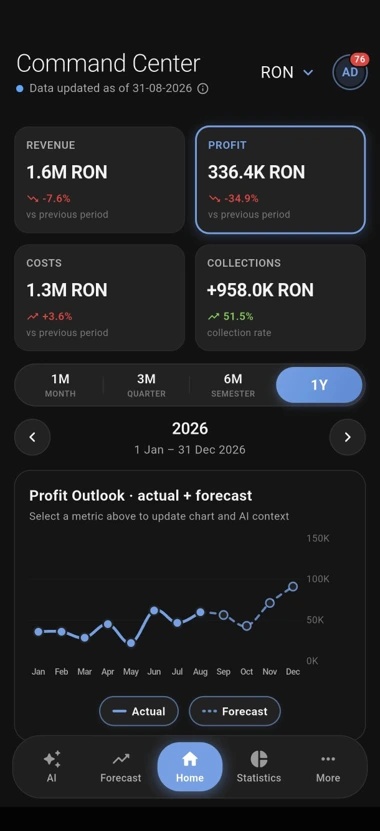
Screenshots show illustrative data.
Cost Control · AI
When enabled by your organisation, AI features can help turn financial data into useful context for your analysis.
Get a written analysis of a period, with findings and recommendations to review.
Ask questions in natural language and explore answers based on your business data.
From your first conversation to web access and Executive View, we’ll help you get started.
Tell us what you need to understand about your business.
Arrange access and configuration with the Cost Control team.
Install Executive View and sign in with your active account.
Use a clearer financial view to plan your next move.
Your organisation manages its infrastructure, accounts and permissions. AI features are optional.
Cost Control privacy policyNo. Executive View is a companion to the Cost Control web platform and requires an active account. Downloading the app does not create or configure a company account.
Contact the Aegis Core Tech team to discuss your needs, web access and configuration. We’ll clarify the next steps with you before you start.
The web platform is the workspace for financial analysis and scenario exploration. Executive View gives you a mobile perspective on the key indicators of your configured platform.
No. Scenarios explore possible outcomes based on the data and assumptions used. AI-assisted insights support your analysis; they do not replace your judgment or professional financial advice.
Cost Control runs on infrastructure selected and administered by your organisation. Your administrator manages accounts and permissions. AI features are optional and depend on your organisation’s configuration; enabled external services may process relevant data under their applicable terms.
Take Executive View with you.
The mobile app requires an active account on the Cost Control web platform.